The ability to convert JPG to PDF is one of the most important and basic operations that every individual, student, and professional must be able to perform in today’s digital world. Whether you are a student, a professional, or simply a user, there are a number of instances where you might need to convert images into a PDF format, and that is where the importance and need for converting JPG to PDF come into play. The Portable Document Format, or PDF, is a format that has been created with the sole purpose and objective of providing a format that can be used to view a document in its original format, irrespective of the operating systems and devices that are being used for viewing the document or image in question.
Understanding the Difference Between JPG, JPEG, and PDF
Prior to going into the conversion process, it is essential to understand what these file formats actually are and how one can be used over the other depending on different circumstances. JPG and JPEG are essentially the same file format, and they both refer to exactly the same type of photo file, which stands for Joint Photographic Experts Group, an organization that originally developed this photo compression standard in 1992. The only reason for having a different file extension is because of an earlier limitation imposed by earlier versions of Windows operating systems, which could only support file extensions with a maximum of three characters. On Mac and Linux systems, JPEG is used instead of JPG, but they are both handled exactly the same by every photo viewer, converter, and browser on the market today. JPEG is a lossy compression format, meaning that data is discarded during compression to make the file smaller. This is perfect for images that are complex, such as photographs, where a loss in quality is acceptable in favor of a much smaller file size. PDF, on the other hand, is a container format that was originally created by Adobe in 1993 and later standardized under the ISO standard. It is capable of containing a range of data, from text and graphics to vector and raster images, all within a single file. By saving JPG in PDF format, the photo data is contained within the PDF, and so it benefits from the universal compatibility that PDFs are known for.
Why Convert Images to PDF Online?
There are a number of practical reasons why people across different industries opt to share their images in PDF format instead of sending their photo files. Perhaps one of the most important is related to professionalism. When you create a PDF document, you automatically imbue it with a level of formality that an photo file cannot match. Whether you are working in a business where you have to present your work to a client, file documents with a government office, or present receipts and invoices to an accounting office, a PDF document is a sign of professionalism and attention to detail. Another important reason is related to file sharing. While a JPEG file can be shared across different platforms, it is still dependent on a viewer application that can display it differently. A PDF file can be shared across Adobe Acrobat Reader, any web browser, and almost every mobile device. Security is also an important consideration. PDF files can be password protected, and you can thus encrypt a document you have created. This is especially important when working with sensitive business documents, identification verification photos, or contracts that are confidential in nature. The fourth reason is related to file organization. If you have gathered dozens of photos from a business trip, a photo shoot, or a field inspection, organizing all those photos in a single document in PDF format is a great advantage. The fifth reason is related to print readiness, and PDFs are the standard in the industry for print-ready documents because they maintain the resolution, color, and white space in the document just as it is created.
How to Convert JPG to PDF Online Without Installing Software
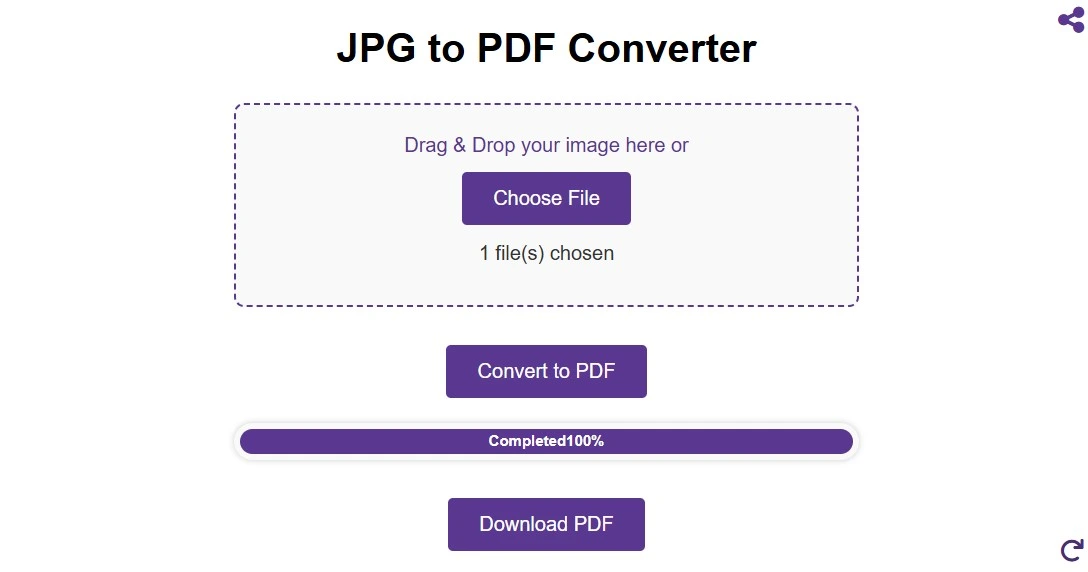
One of the greatest advantages of modern web-based applications is that it is no longer necessary to install special software to perform complex file conversions. It is now possible to convert JPG to PDF online thanks to dozens of different online platforms that offer the same functionality, all of which work equally well on Windows, Mac, Linux, Android, and iOS devices alike. The process is remarkably simple and can be performed in just a few seconds, regardless of the file size. To convert a JPG to PDF online, the user simply needs to open a free online JPG to PDF converter website and either click the upload button to browse the device for the photo file to convert, or simply drag the file into the designated area of the screen to begin the conversion process. Most modern platforms also offer the option to perform batch conversions, meaning that it is possible to convert multiple different JPEG files simultaneously into a single PDF output file. The user can then save the resulting PDF file to the device by clicking the download button. The entire process does not require any form of registration, account creation, or even payment for the conversion process.
How to Merge Multiple Images into One PDF
Merging multiple images into a single PDF document is one of the top requests made by users working with multiple photo collections. Be it a multi-page document scan, a photo report, before and after photos for a client report, or receipts for a business expense report, the ability to merge images into a single PDF document is an essential feature that can't be missed. The steps involved are essentially the same as a single photo conversion, except for a single additional step: selecting multiple images and placing them in order before initiating the conversion process. This can be achieved by uploading multiple images and then moving them around into the order they should appear before initiating conversion on most platforms. This is especially important if working with multi-page contracts, instruction manuals, or documents where order matters. When working with multiple photos from different sources, they may vary in resolution, orientation, and aspect ratios. However, a good converter should handle this smoothly by resizing all the pictures to fit the chosen page size while maintaining as much of their original quality as possible. When looking to merge images for best results, it is recommended that you upload photos that have a consistent resolution and/or orientation. You should also consider compressing your original photos before conversion if you are looking to send a very large PDF document in order to ensure that the resulting document is manageable in size without a corresponding loss in display quality. You can then send a single email attachment containing the newly created PDF document for easier management for both sender and recipient.
Working with Scanned Documents and OCR Technology
However, in addition to the conversion of clean digital images into PDF files, many users also wish to work with scanned physical documents as well. A scanner scan of a physical document will have the text appear as text but not actually be computer-readable as actual characters. Optical Character Recognition, also known as OCR, is the technology that can be employed to overcome such a challenge by recognizing the patterns in the photo of the physical document and converting the same into actual computer-readable text within the final PDF file. If your needs require the capturing of text-heavy documents through the aid of a camera or scanner, it is necessary to look for a PDF converter that has the ability to perform OCR in addition to the basic picture to PDF conversion. Once you have created your PDF from the scanned source, you may also wish to extract the text from the image itself, which is again a similar but potentially time-saving operation. The level of success in the OCR process will naturally depend on the quality of the photo, so it is well worth taking the time to scan in your documents at a resolution of at least 300 DPI to ensure that the letters and numbers in the text are as distinct as possible. The most common reasons for problems in the OCR process itself are poor lighting, awkward angles, and insufficient contrast between the ink and the paper, so taking a few extra seconds to get a good image will greatly enhance the success of the text extraction that follows.
Extracting JPG Images from PDF Files
While the main aim and objective of this guide have been to discuss and explain how to convert JPEG images into PDF documents, it is equally important to discuss and understand how to reverse this process and export or extract images from an existing PDF file. There are a number of different circumstances and reasons why it may be necessary to perform such a function. You may have received a PDF file containing a report and wish to utilize the product photo contained therein for a presentation, or perhaps you have an archived PDF file and wish to export or extract the photographs contained therein. The process of converting a PDF file into a JPG picture is now just as simple and straightforward as the reverse process, thanks to a new generation of browser-based tools that can perform such a function. The quality of exported pictures depends on the resolution at which they were originally embedded into a PDF file. If the PDF document was created from high-resolution source images, then the quality of the pictures that are created from the PDF document will be just as high in quality. If, on the other hand, the source PDF document has been highly compressed, then the quality of the pictures that are created from that document may be affected in a negative way. It is always a good practice, therefore, to keep the original pictures and the PDF document that is created from those photos, rather than relying on the PDF document itself as a source from which photos can be created in the future.
Frequently Asked Questions
What is the best free online tool to convert JPG to PDF?
The free tool such as ImageProEdit offer reliable, secure, and high-quality conversions at no cost. This platforms support drag-and-drop uploading and batch processing.
Can I merge multiple JPG images into one PDF document?
Yes, merging multiple images, which are in the JPEG format, into one PDF document is definitely supported by our converter, which converts JPG to PDF. To accomplish this, you can simply upload the images you wish to combine, then click on the convert button, and you will be able to create one PDF document where each of the images is on a new page, as you specified. This is great for creating a document with multiple pages, such as scanned pages, photo reports, etc., where you may want to include multiple pictures that need to be delivered together in one document.
Will my image lose quality when converted to PDF?
If you perform a proper JPG to PDF conversion, there should be no compromise on the quality of the photo, unless the converter compresses the image during the conversion process. The data of your picture, which is currently in the form of a JPEG, will be embedded into the PDF container. Still, there might be some reduction in the quality of the image, as some platforms compress the picture during the conversion process for the sake of size reduction. For this purpose, you can use Imageproedit, which offers high-quality output during the conversion process. For print-ready photos, you should ensure that the photo is of at least 300 DPI before converting it into PDF.
What is the difference between JPG and JPEG?
There is no technical difference between JPG and JPEG. They are essentially used to mean the same image compression type developed by the Joint Photographic Experts Group. The difference in file extension between JPEG and JPG was due to the older versions of Windows, which allowed file extensions to be only three characters in length. Therefore, JPEG was abbreviated to JPG. However, with newer versions of Windows and other photo handling software, you can use either extension in file conversion without any difference in output quality or handling.
Conclusion
Converting JPG to PDF is a fundamental digital skill that is applicable in almost every profession. Whether you are a student converting assignments for a professor, a photographer delivering a portfolio of pictures to a client, a businessperson needing to share a document in a PDF format, or an administrator looking to digitalize a collection of documents, being able to convert picture file to a PDF is a skill that is essential in today's digital world. With modern browser-based tools, converting a JPG to a PDF is easier than ever before. Not only is software not required for conversion, but in many cases, no sign-up is even needed. However, understanding the subtleties of converting picture file to a PDF is a skill that can help you make the most of every conversion process you use.